OVERVIEW:
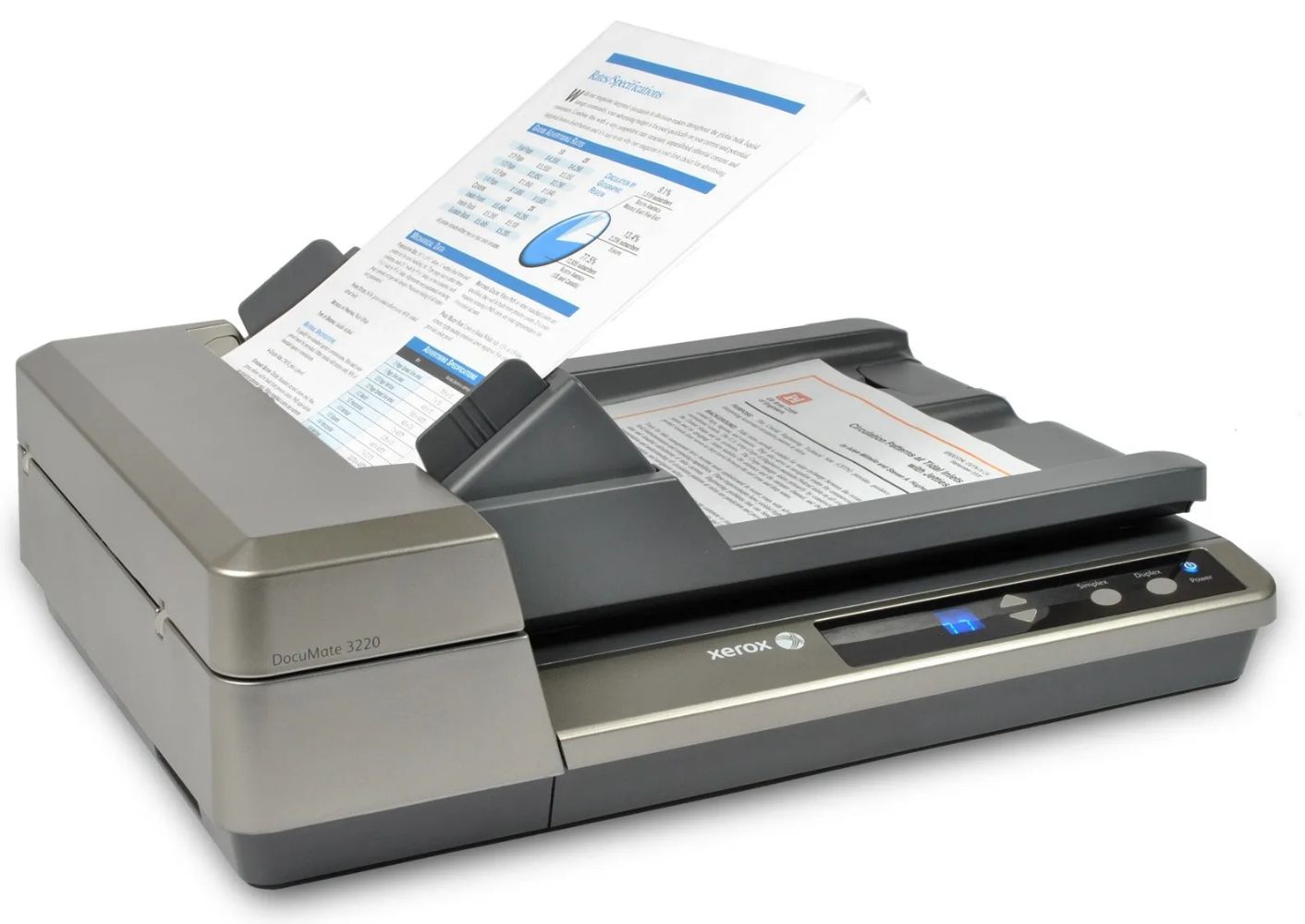
[ FLEXIBILITY FOR HOME OR OFFICE ENVIRONMENTS ]: No longer is information held captive on paper. The Xerox" DocuMate" 3220 is a duplex scanner that combines an A4/US Letter sized flatbed and 50-sheet capacity ADF (Automatic Document Feeder) to create an entry level scanner with all the best features of higher-end products. It can easily support the scanning needs of individuals in small and home offices or workgroups in the corporate world. Installation is as simple as inserting one DVD- ROM disc and connecting the scanner to a host PC via a high-speed USB 2.0 cable. The DocuMate 3220 can be used for personal finances, organisation, document archiving, backup and sharing documents by email or network, collaborating with a group, reusing text from a printed document into your own electronic document without retyping, etc. There is almost no limit to the ways you can be more productive and organised.
With both flatbed and ADF scanning ability, the DocuMate 3220 fits many vertical and horisontal markets with ease. Any business or individual that needs to get better control of its paper volume will benefit from this scanner. Real estate, insurance, education, financial services, retail and healthcare offices will be impressed with this scanner's ability to capture, share and securely process a variety of documents including plastic cards, photos, receipts, handwritten notes as well as laser-quality business documents.
[ VIRTUAL BAG OF GOODIES ]: The Xerox DocuMate 3220 includes a powerful and robust suite of bundled software for Windows PC, designed to help you organise your documents and easily find the information that's on them. All the tools for a document-centric professional who needs to better organise, manipulate and communicate paper in their business are on the DVD. Scan checks, documents, business cards, credit cards, photos or thick card stock with one touch simplicity. The elegant front panel provides simple single button control for at-device scanning to any of 9 preset and up to 99 completely customisable OneTouch scan profiles.
Bundled software includes Visioneer OneTouch" with Acuity, and TWAIN/WIA DriverPLUS that provides compatibility to hundreds of applications. Easy-to-use Visioneer OneTouch makes scanning with one button simple. Press a button on the front panel and your document is scanned, OCR'd and delivered to any of 9 preset destinations or up to 99 customisable profiles (email, folder, printer, or any other application or device). These advanced features and scanning software would cost significantly more money if purchased separately, but are included in this high productivity package, ready to go.
[ MULTIPLE PLATFORMS ]: For Mac users, the Xerox" DocuMate 3220 includes a fully featured TWAIN driver, ICA support, and a simple yet powerful Scan Utility, allowing you to get started right out the box.
[ VISIONEER® ONETOUCH (PC) ]: OneTouch is an easy-to-use utility that connects the DocuMate® 3220 with a powerful set of scanner settings to greatly improve the efficiency of your workflow - so that with one touch the document is scanned automatically to email, Microsoft® Word, your printer, a file folder, or to one of many cloud destinations.
[ VISIONEER® ACUITY (PC) ]: Acuity enables your scanner to instantly improve the visual clarity of every document that you scan. Using advanced algorithms and dynamic thresholding Acuity will intelligently correct documents containing imperfections, improve quality of scanned images for archiving, increase OCR accuracy, and save time.
[ VISIONEER TWAIN™ DRIVERPLUS (PC) ]: DriverPLUS offers an impressive array of settings to enable precise customisation of the scan - far beyond current TWAIN specifications and user experience. DriverPLUS also delivers Parallel Scanning, allowing multiple same-model scanners to be connected to a single PC and run concurrent jobs. Visioneer Acuity integration adds intelligent image enhancement and PC Optimisation to enable full-speed scanning.
[ ABBYY® FINE READER SPRINT (MAC® & PC) ]: This easy-to-use OCR tool reduces the need of retyping and paper storage, instantly converting your scans into various file formats, including searchable PDF. It accurately reads documents in up to 179 languages and precisely preserves the original document's layout and formatting.
[ MAC® TWAIN ]: The Mac TWAIN driver offers all of the features of Acuity Image cleanup built in. No 3rd party software needed. Blank Page Removal, Auto Colour Detect, Auto Rotate are just a few of the standard features. It also includes a digital endorser to add text to your images, the ability to read barcode data (3rd party software required to interpret barcode data), and Merge two sides.
[ VISIONEER SCAN UTILITY FOR MAC ]: If there is no scanning application on your Mac, a simple but effective scan utility is included, allowing you to take full advantage of all of the drivers' features. Simply put, set your driver preferences, select an image format (BMP, JPG, GIF, PDF, MPDF, TIF and MTIF), choose where you want to save your images to, and start scanning.
FEATURES:
• Robust full version software bundle
• Flexible flatbed or ADF scanning, no need to pick one or the other
• OneTouch scanning to PDF, just one touch to your destination
• Visioneer® Acuity image enhancement software
• PDF and Searchable PDF file creation
• Easy operation front panel buttons
• Hi-Speed USB 2.0 connection = plug in and scan